Help · Guide 20 of 20
Reading a submitted report
What arrives when a coach submits a session report, and the decision about them that matters more than anything in the software.
- About 2 minutes
- Administrators only
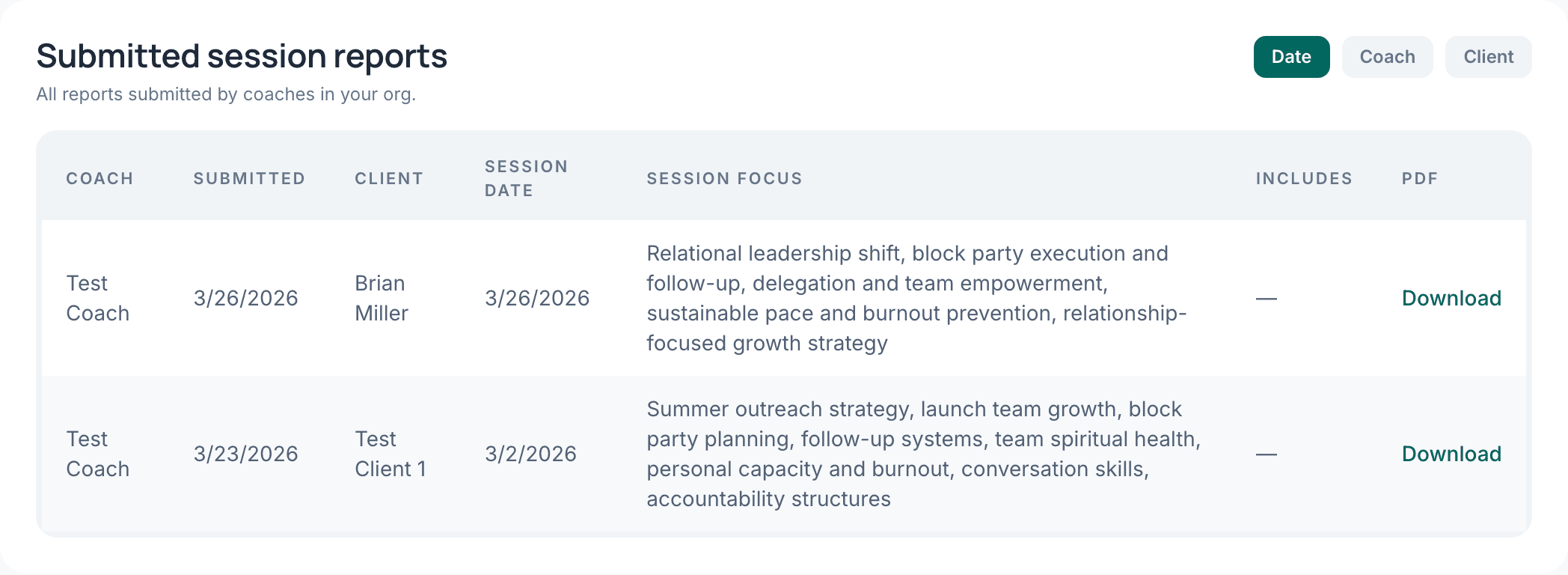
Where they arrive
On My Org, under Submitted session reports. You also get an email when one comes in, so nothing depends on remembering to check this page.
What's in one
The session focus, the coach's key insights and reflections, the actions and commitments that came out of the conversation, and any additional notes. There's a PDF if you need to file or forward it.
What's not in one: the transcript, and the coach's evaluation. You're reading what the coach chose to send you. If you want to know more about a session, ask the coach — which is a better conversation than reading a transcript anyway.
Reports can't be changed
Once submitted, a report can't be edited, withdrawn or deleted — by the coach or by you. That's what makes it usable as a record of work performed.
It also means a coach who submits something they regret will come and tell you, rather than quietly fixing it. Worth being gracious about.
Decide now what you do with them
This is the part that isn't a feature.
A report nobody responds to teaches coaches that submitting is paperwork, and submissions quietly tail off by month three. A short note back — even one line, even just "read this, thank you" — teaches them it's a conversation.