Help · Guide 19 of 20
Inviting coaches
How people join your organization, and the one choice that affects your bill.
- About 3 minutes
- Administrators only
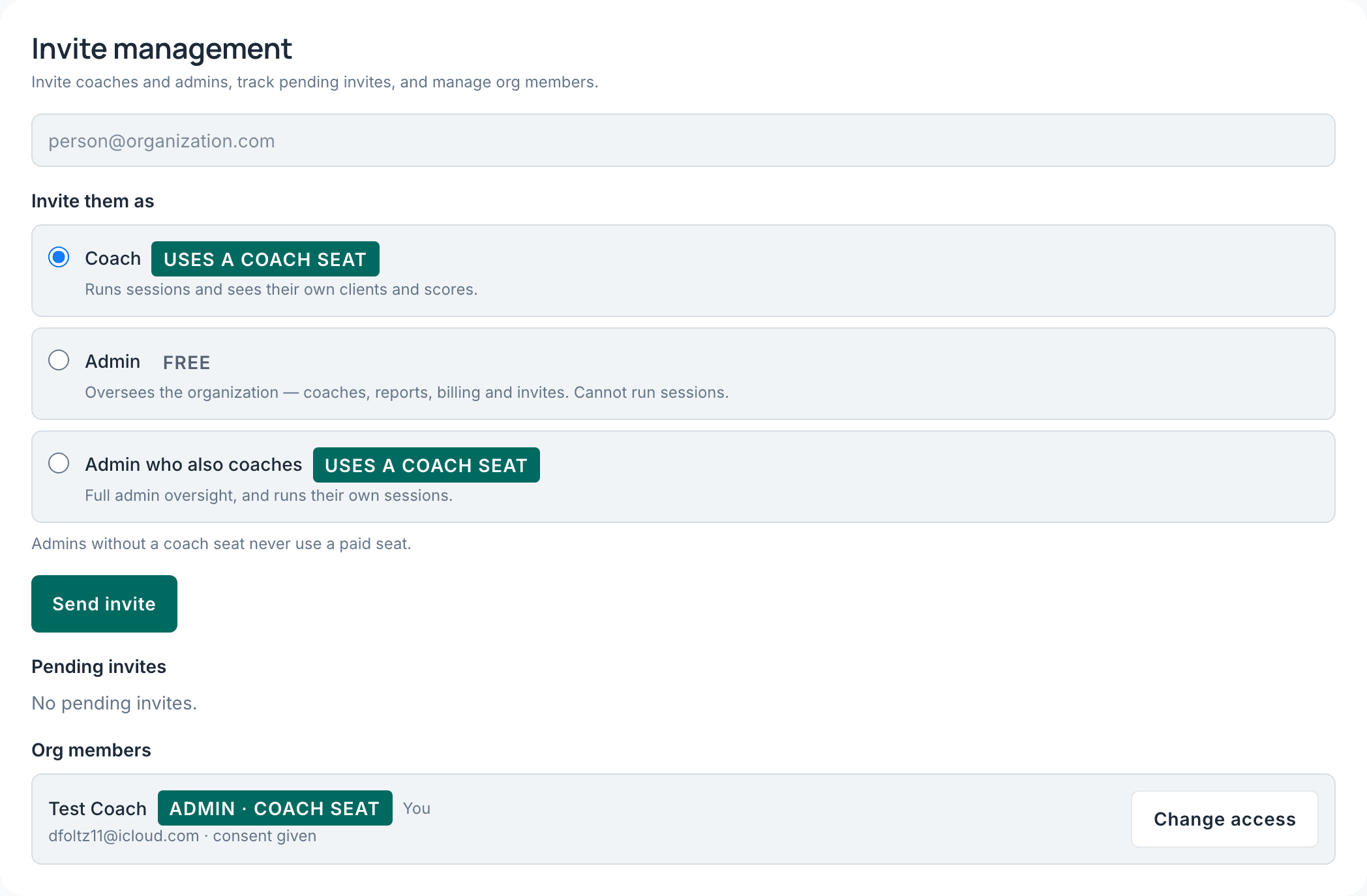
Three kinds of member
Enter an email address and choose what they are. The difference matters, so it's worth getting right first time.
- Coach — runs sessions, sees their own coachees and scores. This is most of your people.
- Admin — oversees the organization but doesn't coach. Holds no coach seat, so it doesn't add to your bill. This is what you want for an assistant, or a second administrator who isn't coaching.
- Admin who also coaches — both. Most likely you.
Send, and watch the first few land
They get an email with a link. Pending invites stay listed until accepted.
If you're onboarding a group, send two or three and confirm they arrive before sending the rest. If something's going to spam, you want to discover that on invite three rather than invite fifteen.
When email fails, copy the link
There's a Copy link button on every pending invite. It produces the same link the email contains, and you can send it however you like.
This is your fastest fix for "I never got the invite" — quicker than diagnosing a mail server, and it works the same way.
Changing someone later
Roles and seats can be changed from the roster. If a change affects billing, CoachLens quotes the consequence before you confirm — and if your organization has no paid subscription, it says so and charges nothing.