Help · Guide 9 of 20
AI Chat
An assistant that has actually read your sessions with one coachee. Most coaches skip it because they don't know what to ask — so here's what to ask.
- About 3 minutes
- Best used before a session
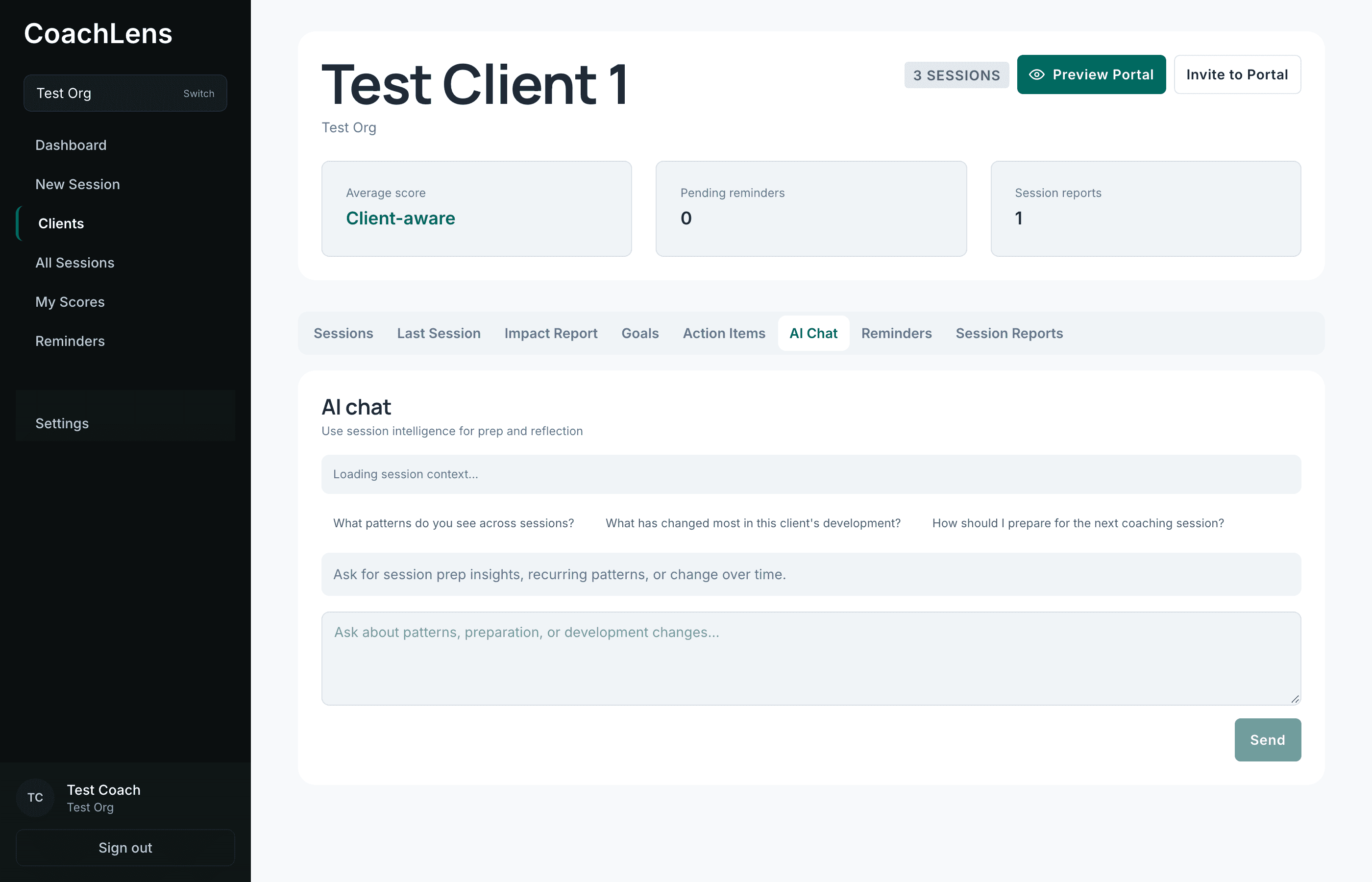
Check what it's reading
Under the heading you'll see something like Context from 5 sessions (2 full transcripts, 3 summaries). That's your context — it has genuinely read those sessions, not just their titles.
Full transcripts for your most recent conversations, summaries for older ones. That's how it can answer questions spanning months without losing detail on last week.
Start with the suggested questions
Three are offered, and they're genuinely the right place to begin: what patterns you're seeing, what's changed most in this person's development, and how to prepare for the next session.
Click one and read the answer before writing your own. It calibrates what the thing is good at.
Then ask better ones
These work well:
- "What did they commit to last time?" — faster than scrolling.
- "What's changed in how they talk about their team since we started?" — this is the one that surprises people. It can see across months.
- "What should I open with on Thursday?"
- "Where am I doing most of the talking?"
- "What have we circled back to more than once without resolving?"
Ask it like a colleague who read your notes, not like a search box. Full sentences get better answers than keywords.
Two limits worth holding onto
It only knows what's in CoachLens — sessions you've actually submitted for this person. It doesn't know your hallway conversations, the email they sent on Tuesday, or anything you decided not to write down.