Help · Guide 12 of 20
Development focus
One competency, chosen by you, kept in front of you. Small feature, and the constraint is the entire point.
- About 2 minutes
- Private to you
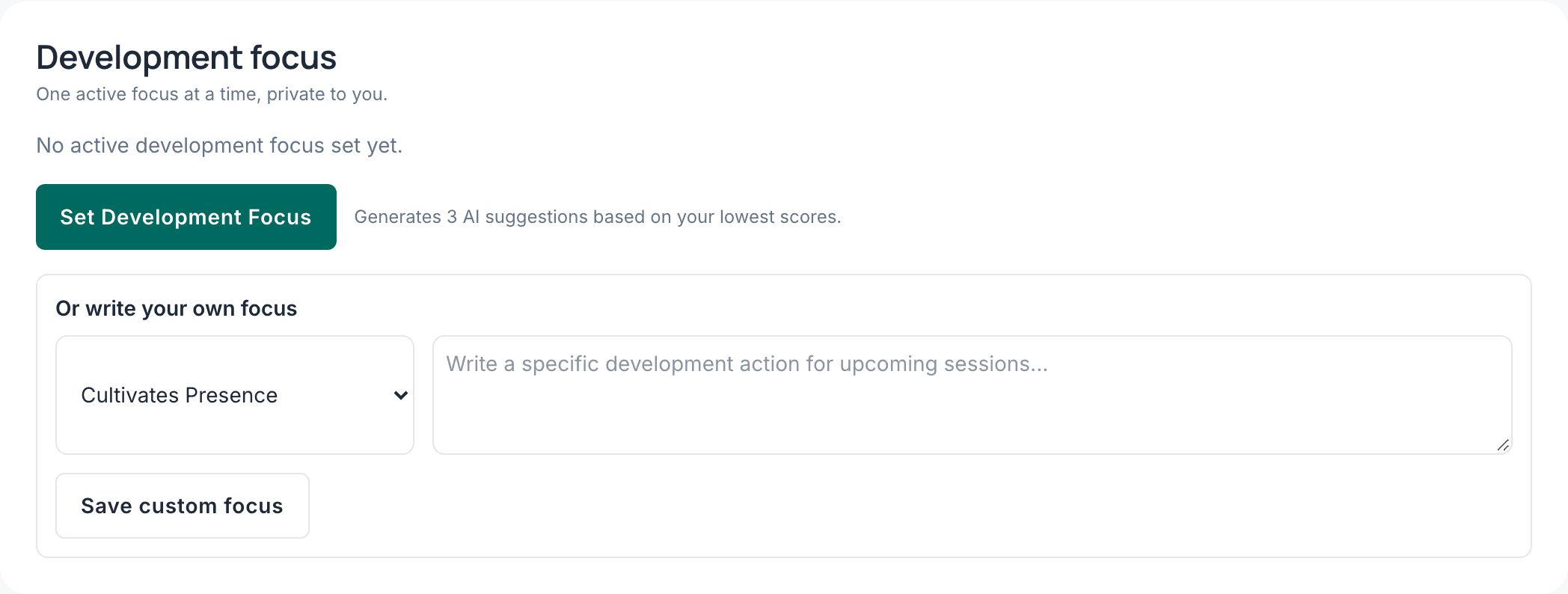
Let it suggest, then choose
CoachLens reads your recent evaluations and suggests three competencies worth your attention. You pick one — or write your own, if you already know what you're working on.
The suggestions need a few evaluations behind them to be useful. Before that, choosing your own is the better move.
One at a time, deliberately
You can only hold one active focus. That isn't a limitation waiting to be lifted — a list of twelve things to improve is the same as improving nothing, and it's what makes most development plans quietly die.
Where it shows up
On your dashboard every time you sign in, so it stays in view. And inside your evaluations, where that competency is highlighted — so when it appears in a session, you notice.
It's private to you. Your administrators don't see it, and neither do your coachees.
Change it on a rhythm
Pick one, live with it for about a month, then come back and choose again. It's meant to move as you do — setting it once and forgetting it wastes the feature.