Help · Guide 4 of 20
Run your first session
Getting a coaching conversation into CoachLens and back out as an evaluation. Four steps, and the app walks you through all of them.
- About 5 minutes, most of it waiting
- You'll need: a transcript or your notes
Step 1 — Session Info
Click New Session. The four steps are listed across the top so you always know where you are.
Start typing your coachee's name and it completes from your client list. Then set the rest:
- Session Date — the day you actually coached, not today.
- Rubric — the competency framework to assess against. If your organization uses only one, it's already chosen.
- Session Length and Session Notes — both optional. Notes are for context that isn't in the transcript.
Click Continue to Transcript.
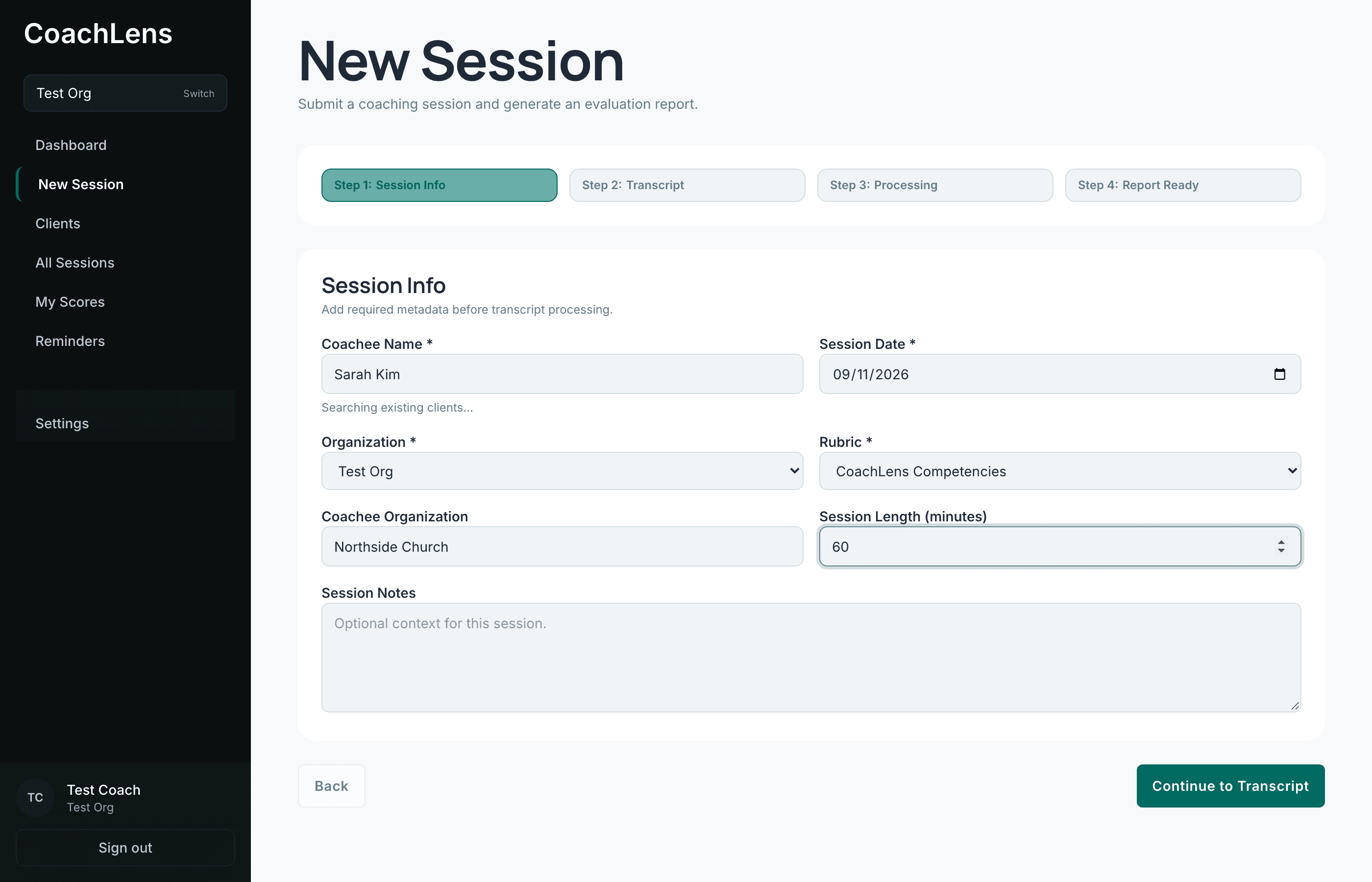
Step 1 collects everything the evaluation needs to file the session correctly. Step 2 — Transcript
There are three ways to get the conversation in. Pick the one that matches how you work.
- Upload File — a
.pdf,.txtor.vtttranscript, including the one Zoom generates for cloud recordings. Drag it onto the page or use Choose file. - Paste Text — copy the transcript and paste it straight in.
- Notes only - no transcript — for a session you didn't record.
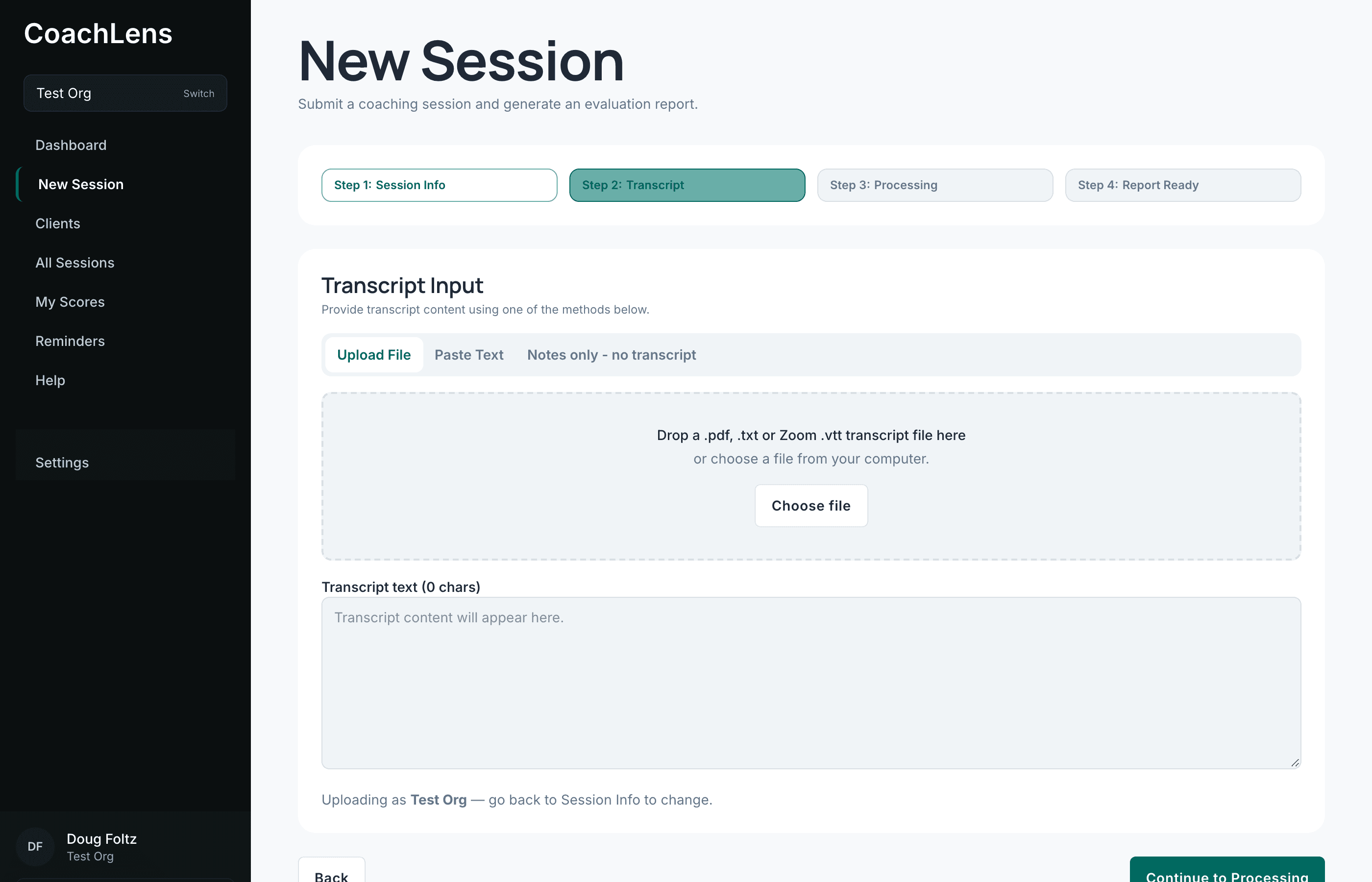
Three routes in. The rest of the process is identical whichever you choose. - Upload File — a
Step 3 — Processing
CoachLens reads the whole conversation against every competency in your rubric. A progress indicator tells you which stage it's on.
This takes a few minutes for a full-length session. Nothing is wrong. It's the one place in CoachLens where you wait.
Leave the tab open. If you close it, the work still finishes and the session still appears in All Sessions — you just won't be handed the result, you'll have to go and find it.
Step 4 — Report Ready
Your evaluation is finished, and the step gives you two ways on: open the evaluation, or start a session report to send to your organization.
Neither is compulsory and neither expires. If you take the evaluation now and the report next week, nothing is lost — both stay reachable from the session itself and from your coachee's page.
Reading the evaluation well is its own skill, and it's the next guide.